Backup
A backup contains not only all the data, but also the system registry files, application configuration files, and all other hidden, invisible, and protected files. These cannot be copied manually.
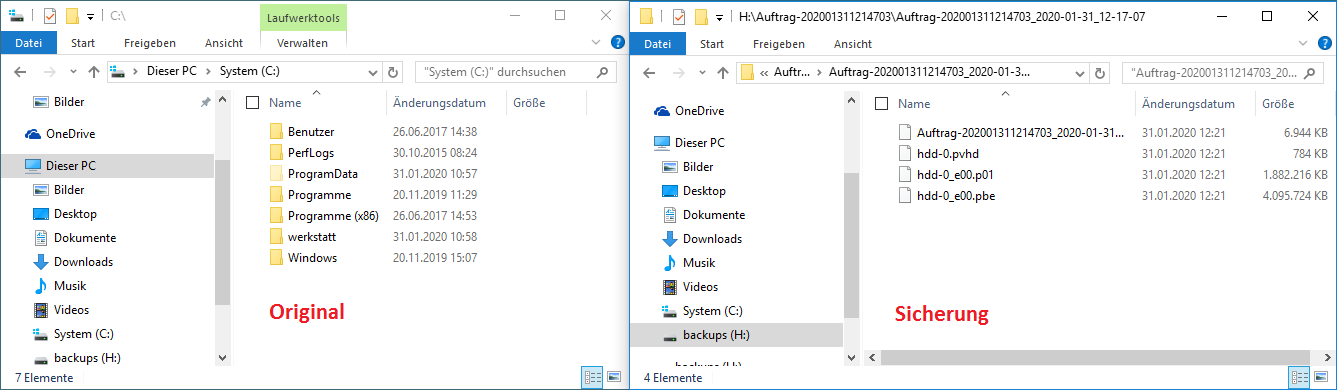
Therefore, a backup saves selected files (file backup) or partitions/hard drives (sector-based backup) to a directory. The resulting archive consists of index files and one or multiple compressed files containing the backed-up objects. Backups are typically stored on external hard drives, network drives, or other suitable storage devices. These storage devices can hold multiple backups; the only limit is the storage device's capacity.
Usually, backups can only be read or edited with the program they were created with.
Restoring a backup restores the system to the state it was in at the time of the backup. The purpose of a backup is to restore a damaged or unusable file system to a proper working state.
Copy
A disk copy involves copying the entire hard disk, including all partitions, to another hard disk; its contents are overwritten in the process.
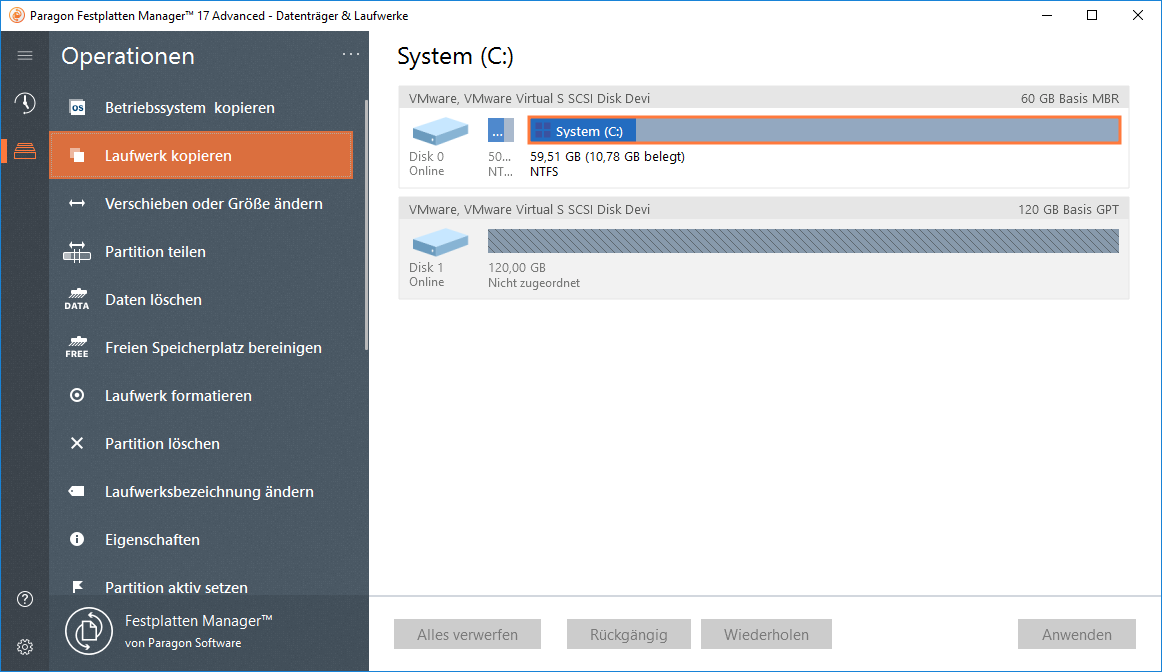
A partition copy involves writing a partition to another hard disk. This other hard disk must have sufficient unpartitioned space to write the copy on.
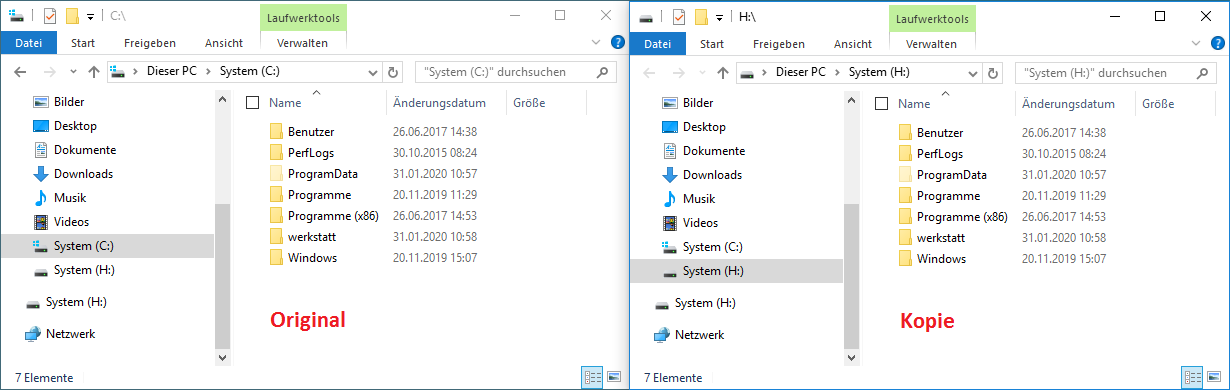
A hard drive copy is typically intended for transferring the system to a different/larger/newer hard drive. This hard drive can then be used either in another computer or in place of the old hard drive. Since the copy is only executable if the copied system partition has the same letter as the original, no letters are assigned to the drives on the copied hard drive.
When booting from the copied hard drive, Windows usually automatically assigns these letters correctly. Of course, this only works if only one of the two hard drives is present in the computer, or if the boot entry has been correctly modified in the BIOS/UEFI.
Copy used as backup: A hard disk copy can only serve as a backup – if at all – if it is removed from the system immediately after the copy process and only reinstalled when it is to be booted from it, i.e., if it is intended to replace the original hard disk and was installed instead.
Backup used as copy: A hard disk backup can also serve the purpose of a hard disk copy. The backup is created, the hard disks are swapped, and the backup is restored to the new hard disk. The advantage is that you have a backup in addition to the original.
See some pictures for clarifcation:
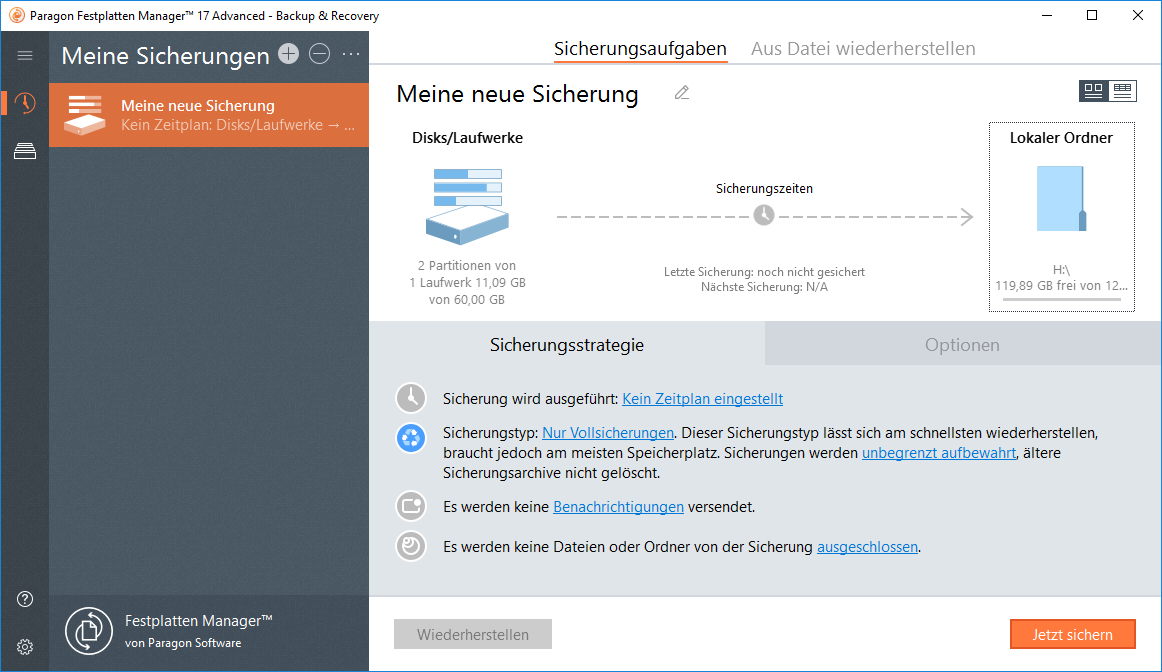
Partition Backup
Partition Copy
Partition Backup Result
Partition Copy Result
Comments
0 comments
Article is closed for comments.